WordPress Themes
275 Products
WordPress Plugins
501 Products

Shopify
0 Products

PHP Scripts
0 Products

Opencart
0 Products

Magento
0 Products

Share:
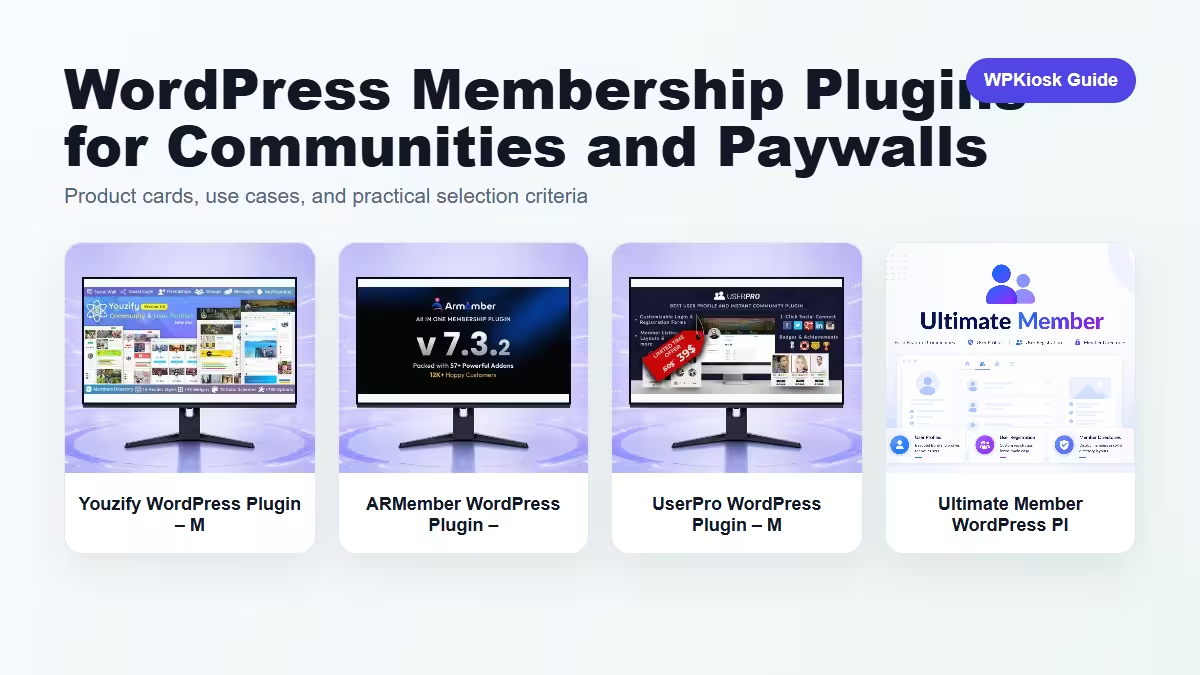
Membership plugins turn WordPress from a public publishing site into an access-controlled experience with profiles, roles, communities, or paid content.
| Plugin | Best fit | Why choose it | Product |
|---|---|---|---|
| Youzify WordPress Plugin – Membership, User, and Community Tools | Community profiles | Useful for social profile and member directory workflows. | View |
| ARMember WordPress Plugin – Membership, User, and Community Tools | Membership access | Fits protected content and subscription-style access. | View |
| UserPro WordPress Plugin – Membership, User, and Community Tools | User profile systems | Good for profile-heavy membership sites. | View |
| Ultimate Member WordPress Plugin – User Profiles, Membership & Community Builder | Flexible member profiles | A familiar option for user profiles and communities. | View |
Scores focus on practical site-owner decisions rather than raw feature count.
| Criteria | Youzify WordPress Plugin – Membership, User, and Community Tools | ARMember WordPress Plugin – Membership, User, and Community Tools | UserPro WordPress Plugin – Membership, User, and Community Tools | Ultimate Member WordPress Plugin – User Profiles, Membership & Community Builder |
|---|---|---|---|---|
| Profile workflow | 9/10 | 7/10 | 9/10 | 9/10 |
| Access control | 7/10 | 9/10 | 7/10 | 8/10 |
| Community features | 9/10 | 7/10 | 8/10 | 8/10 |
| Beginner setup | 7/10 | 7/10 | 7/10 | 8/10 |
| Paywall fit | 6/10 | 8/10 | 6/10 | 7/10 |
Decide what is protected: posts, downloads, courses, products, forums, or profile features.
Member profile fields should be useful and limited. Empty profile systems make a community feel unfinished.
Paid memberships need renewal rules, failed payment handling, cancellation paths, and support documentation.
Choose based on whether the core product is content access, community, or user profiles.
Start with the workflow you need to improve, then choose the plugin that solves that job with the least extra complexity.
Only when they solve different jobs. Overlapping plugins can slow the site and make maintenance harder.
Yes. The article uses WooCommerce product cards so pricing is read from the product catalog rather than hard-coded in the article.
Test mobile layout, checkout or form behavior, page speed, and any user-facing emails or notifications.
They can support SEO and UX, but rankings still depend on search intent, useful content, internal links, technical health, and trust.