WordPress Themes
275 Products
WordPress Plugins
501 Products

Shopify
0 Products

PHP Scripts
0 Products

Opencart
0 Products

Magento
0 Products

Share:
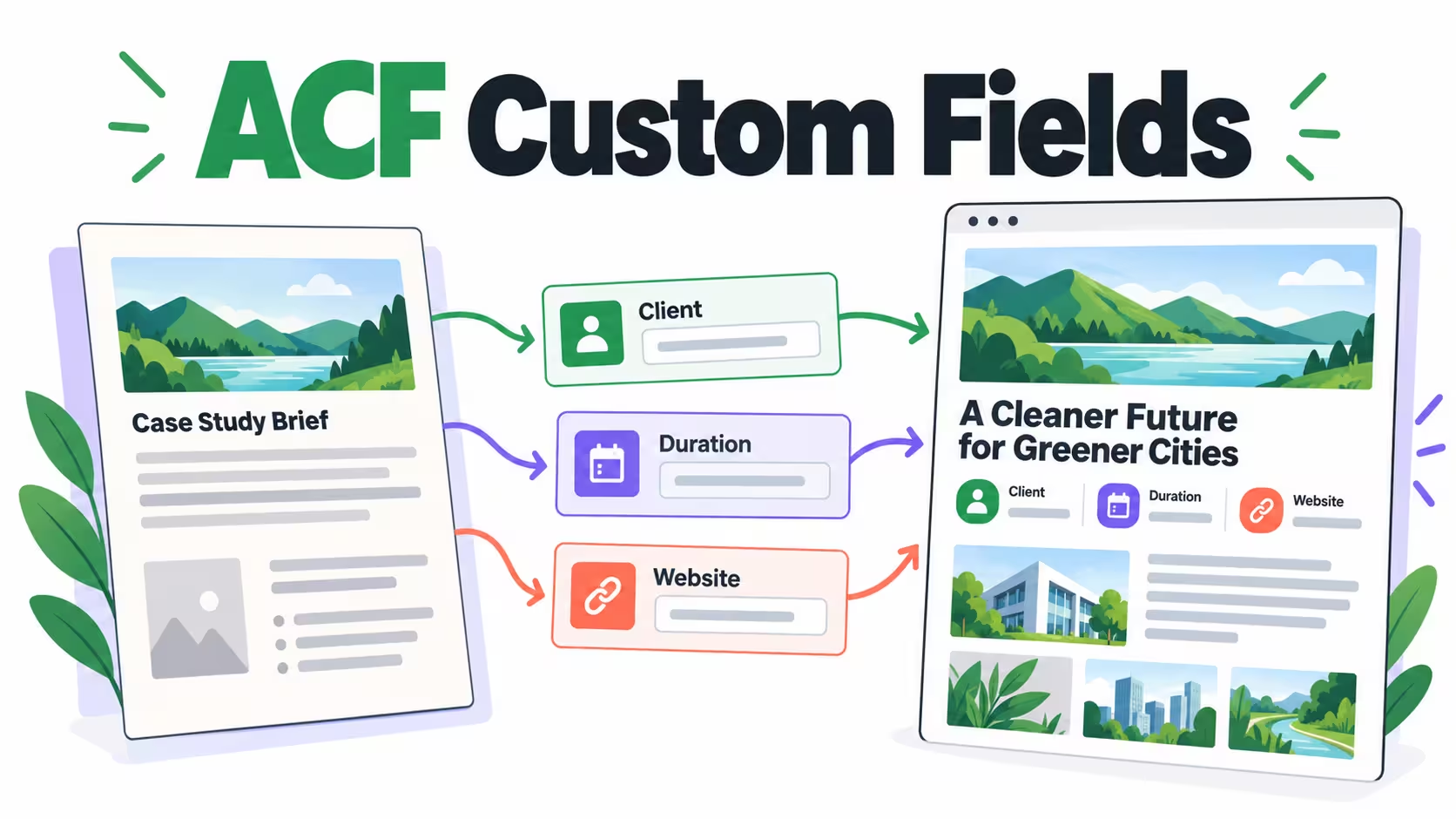
This ACF custom fields tutorial builds a small, reusable case-study summary: client name, project duration, and client website. The aim is not to make editors learn a new page builder. It is to give them a predictable place to enter facts and let a template display those facts consistently.
Before you begin: ACF manages the fields; it does not automatically design their front-end output. The example uses a PHP template on a staging site. If you use a visual builder, confirm its dynamic-field integration instead of pasting PHP into the WordPress editor. This is an implementation example, not a claim that these changes have been installed on your website.
Take one real content type and separate its repeatable facts from its narrative. A case study’s problem, process, and results belong in the main article. Its client name and duration are small facts that should not require rebuilding a layout every time. Keep that first model narrow; a dozen optional fields can make editing slower than a short paragraph.
Agree on a field name before it enters a template. Changing a visible label later is different from renaming the stored field identifier. Record who owns the field model, where it is displayed, and what should happen when a value is missing.
| Label | Field name | Type | Editorial rule |
|---|---|---|---|
| Client | case_client |
Text | Use the approved public client name |
| Duration | case_duration |
Text | Use a readable value such as six weeks |
| Client website | case_website |
URL | Leave blank if there is no approved destination |
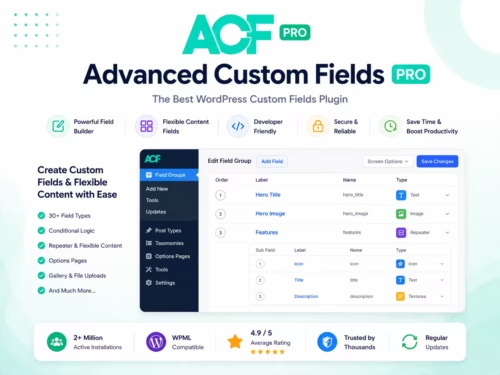
On staging, open ACF’s field-group screen and add a group named Case Study Details. Add the three fields above and save it. Use a narrow location rule that matches your selected test page. This keeps the experiment away from unrelated pages while you confirm the data and output.
The ACF field-group reference explains names, labels, and location rules. Keep the human-facing labels clear and the identifiers stable. Add instructions explaining whether a value is public, what format is expected, and whether it is optional. Instructions are especially helpful when someone other than the developer will maintain the page.
Open the test page, fill in the fields, and save it. Return to the editor to confirm the values persisted. If the group is absent, check the location rule against the exact page you opened before reinstalling the plugin or broadening it to all content.
Make a backup of the template and use a child theme or the site’s existing extension mechanism. Do not edit a parent theme whose next update could overwrite your changes. Place the example inside the relevant page template’s Loop, where the current page has already been selected. Outside that context, pass the intended post ID explicitly.
The following example creates a small definition list and hides empty rows. It checks for ACF before calling its API, then escapes text and the URL according to their output context. Use it only after a developer confirms where it belongs in your theme.
<?php
if ( function_exists( 'get_field' ) ) {
    $client   = get_field( 'case_client' );
    $duration = get_field( 'case_duration' );
    $website  = get_field( 'case_website' );
    $safe_url = is_string( $website ) ? esc_url( $website ) : '';

    if ( $client || $duration || $safe_url ) {
        echo '<dl class="case-study-details">';
        if ( is_string( $client ) && $client !== '' ) {
            echo '<dt>Client</dt><dd>' . esc_html( $client ) . '</dd>';
        }
        if ( is_string( $duration ) && $duration !== '' ) {
            echo '<dt>Duration</dt><dd>' . esc_html( $duration ) . '</dd>';
        }
        if ( $safe_url !== '' ) {
            echo '<dt>Website</dt><dd><a href="' . $safe_url . '">Visit client website</a></dd>';
        }
        echo '</dl>';
    }
}
?>
Escaping is not an optional cleanup step. ACF’s get_field documentation notes that values need appropriate escaping before output. A text value, URL, and intentional rich-text field require different handling. Do not copy a text-field example into a rich-content component without reviewing the output type.
Start with the complete case study. Confirm the client and duration appear where the summary belongs, and that the website link points to the approved destination. Then delete the website value and save again. The empty row should disappear rather than show a broken button or a placeholder.
Use a staging-only client name containing an ampersand and quotation marks. Inspect the rendered text to confirm these are displayed as text instead of becoming markup. Test a long duration label and a long client name at phone width; short test strings can hide real layout problems.
The last test is a compatibility check, not advice to disable a production dependency. Keep backups and a rollback path whenever you change template logic.
The three basic fields in this example do not require Pro-only repeaters or flexible layouts. Start with the simplest tool that meets the model. Pro becomes relevant when your next requirement is, for example, a variable number of project milestones, a managed image collection, or a controlled set of reusable content sections.
Our ACF Pro suitability review explains those purchasing decisions separately. Before choosing the WPKiosk package, confirm its update and support arrangements. A downloadable plugin package and an individual vendor subscription should not be treated as interchangeable.
Do not convert every line of a normal article into a field just because Pro supports more field types. A useful content model limits editor choices where consistency matters while preserving the main editor for narrative content.
Keep a short field dictionary alongside your implementation: identifier, type, optionality, location rule, and template consumer. When a developer changes a type, test the return shape before deploying it. A URL string and an array from a link field cannot be handled by identical output code.
A theme migration also needs a field-output audit. Saved data does not guarantee the replacement theme displays it. Inventory the existing components, implement the matching output, and compare several complete and incomplete records on staging before switching production.
For the next stage, repeat this process with an actual business requirement rather than a generic field library. WooCommerce product specifications are a separate model: do not overwrite stock, price, or variation data with custom fields meant for editorial information.
Check that the group is active and its location rule matches the content item. Verify the user’s permissions and the exact editing screen. A front-end template change cannot make an incorrectly targeted editor group appear.
Confirm that the displayed template actually reads those identifiers. Check the current post context and any builder integration. Saving a field does not automatically add it to a theme’s layout.
Inspect secondary queries and how the current post is established. Pass a known post ID when the component is intentionally displaying a different record, and restore the main query context correctly.
No. This example is deliberately limited to basic field types. Choose Pro for a concrete requirement that uses its additional capabilities, not just to follow this example.
No. PHP belongs in an appropriate server-side template or extension maintained by a developer. A paragraph or code block displays text; it does not safely execute PHP.
Check the identifier, saved record, field-group registration, and post context. An empty optional field is also a valid result that your output should handle.
No. You need template output or a supported dynamic-field integration. Review that dependency before promising a no-code editing workflow.
Changing the stored identifier can affect existing data lookups and templates. Treat it as a planned migration rather than an ordinary label edit.
Keep transactional prices in WooCommerce. Use custom fields for separate editorial information such as compatibility notes or specifications.