WordPress Themes
275 Products
WordPress Plugins
503 Products

Shopify
0 Products

PHP Scripts
0 Products

Opencart
0 Products

Magento
0 Products


Share:
ACF Pro is worth considering when a WordPress site needs structured information and someone can maintain the templates that use it. It is a less convincing purchase for a simple blog where the normal editor already handles everything. The deciding question is not how many field types are included, but whether a repeatable content model solves a real editing problem.
Quick verdict: choose ACF Pro for developer-led content systems, carefully controlled client editing, and projects that genuinely need its additional field and block capabilities. Choose a simpler workflow when nobody owns the field schema or front-end integration. This review is an editorial assessment of documented capabilities and implementation tradeoffs, not a hands-on benchmark.
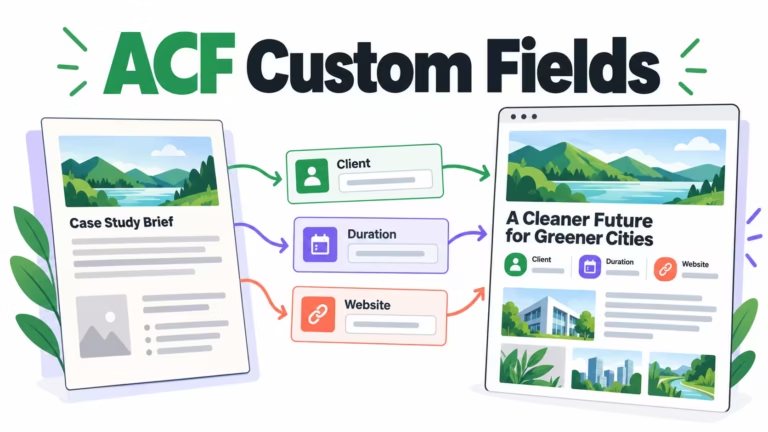
Consider an agency publishing fifty case studies. Client, sector, project duration, and a small group of project images recur across the library. If editors manually rebuild that summary on each page, labels drift and layouts become inconsistent. A field model can separate the facts from the narrative and make the summary predictable.
The same reasoning applies to directories, resource libraries, and teams with reusable information. It does not mean every paragraph should become a field. A content model is useful when the information needs consistent output, reuse, or validation; forcing a normal article into twenty tiny inputs often makes editing less natural.
If that is your use case, inspect the current package details before purchase. The product module below reads WooCommerce data rather than embedding a fixed price in this article. Check update access, vendor licensing, and support arrangements separately.
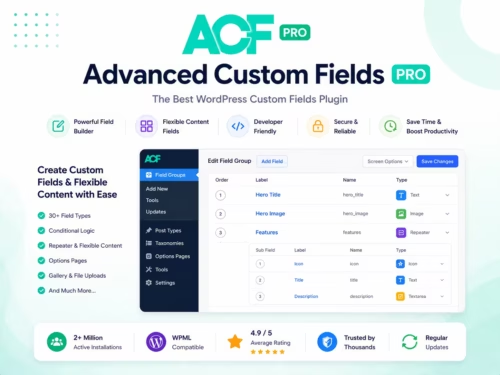
The official ACF Pro feature overview describes its additional field and development capabilities. Match those capabilities to the implementation you actually need. A reusable field definition and a finished front-end component are not the same deliverable.
| Requirement | Relevant capability | Work still required |
|---|---|---|
| A variable number of project milestones | Repeater | Define subfields, ordering, and empty-state output |
| A controlled collection of editorial sections | Flexible Content | Build and maintain each permitted layout |
| Shared site information | Options Pages | Decide who can edit global values and where they appear |
| A bespoke editor block | ACF Blocks | Implement the rendering and editor experience |
| A managed image collection | Gallery | Handle sizes, captions, accessibility, and mobile presentation |
Repeated rows are convenient for milestones, feature lists, or team details. Decide which fields are required, how many rows remain usable, and whether long text belongs inside the component. An unrestricted collection of nested fields can be harder to maintain than the original page.
Flexible layouts work best when editors choose from a small, intentional set. For example, a case-study template might permit a quotation, image-and-text section, and related project list. Each layout still needs coherent output. Allowing every possible combination without testing it does not create a reliable design system.
A custom block can provide a focused editing interface for a component the normal editor does not represent well. Budget for development, preview behavior, accessibility, and upgrades. Do not describe a developer framework as a ready-made no-code design tool.
Global settings deserve extra care. A mistake in a shared telephone number or company notice can affect many pages at once. Document where global values are used and restrict editing responsibilities according to your team’s normal permissions process.
Start by proving the content model with a small set of basic fields. A client name, duration, and URL do not require a repeater or flexible layout. Our ACF custom fields tutorial walks through that narrower task and shows how output differs from data entry.
Pro earns its place when the requirement extends beyond those basics. Before buying, write a one-sentence reason: for example, editors must manage a variable-length list of project milestones without touching markup. If the reason is merely that Pro contains more features, the implementation is not ready for a purchasing decision.
The strongest client handover gives editors clear labels, examples, and a small number of safe choices. Define what an empty value means. A missing optional website should hide a link, while an absent required business identifier may need an editorial warning. Those behaviors come from your design, not the plugin name.
Ask an editor who did not build the system to publish a complete record and then an intentionally incomplete one on staging. Note where instructions are unclear, where the fields appear in the wrong order, and which changes require developer help. This is a practical acceptance exercise, not a claim that we conducted such a test for this review.
Structured fields do not automatically make a website faster or its data portable. A component that loads large image collections or performs repeated queries can still be expensive. Measure the specific page and query behavior instead of assigning the plugin a universal speed score.
Template coupling is the more immediate risk. If the current theme renders your fields, a replacement theme needs equivalent output. Keep a field dictionary and identify each template consumer before migration. Saved values are only one part of a functioning content system.
Plan changes to field identifiers and return formats as migrations. A component expecting a string will not necessarily accept an array after a field-type change. Back up data, test old records, and define a rollback before changing the model across a production library.
Compatibility notes, product documentation, and specification summaries can be suitable custom-field uses. Transactional prices, stock, variation attributes, and downloadable-file access should continue to use the appropriate WooCommerce mechanisms. A custom editorial field should not quietly become a second source of truth for checkout.
For example, a plugin store could add a supported integration note to a product page. The editor can maintain that note independently of the WooCommerce price. Before making it searchable or adding it to every product, decide how it will be validated and who will keep it current.
The right purchase is the one your team can implement and maintain. ACF Pro is a strong option for deliberate content modeling; it should not be used to compensate for an undefined editing workflow.
Not usually. Begin with the normal editor and add fields only when specific information needs consistent structure or reuse.
No. A template or supported integration must render them. Confirm that implementation responsibility before purchasing.
When a content item needs a variable number of similarly structured entries, such as milestones. Define the output and editing limits before adding rows freely.
That would create an unnecessary second source of transactional data. Keep prices and stock in WooCommerce and use custom fields for separate editorial requirements.
The new theme may not render the existing fields. Inventory template dependencies and implement equivalent output on staging before switching themes.
No. Confirm the exact package and account entitlements. A file download, license activation, support arrangement, and update channel are distinct questions.