WordPress Themes
275 Products
WordPress Plugins
500 Products

Shopify
0 Products
PHP Scripts
0 Products

Opencart
0 Products

Magento
0 Products


Share:
Choosing a WordPress SEO plugin is less about finding the tool with the longest feature list and more about choosing the workflow you will actually use every time you publish.
For most sites, an SEO plugin needs to handle the basics well: SEO titles, meta descriptions, XML sitemaps, canonical URLs, schema, redirects, social previews, and on-page content checks. For stores, agencies, and content-heavy sites, you may also need WooCommerce SEO, internal link suggestions, analytics, rank tracking, or conversion tracking.
This guide compares the best WordPress SEO plugins and companion tools based on real use cases, not just marketing claims.
| Plugin | Best for | Key strengths | Schema support | Beginner friendly | Product page |
|---|---|---|---|---|---|
| Rank Math | Bloggers, site owners, and advanced users who want value and control | Modular SEO features, analytics, rank tracking, schema, sitemaps | Strong | Yes, but feature-rich | View |
| Yoast SEO Premium | Editors, bloggers, and teams that want a familiar SEO workflow | Readability checks, internal link suggestions, redirects, AI titles/meta, mature docs | Strong | Very | View |
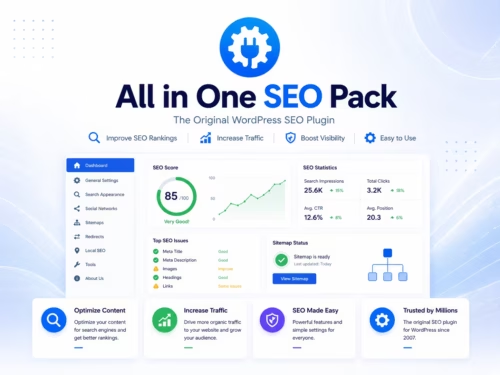
| All in One SEO | Businesses that want a broad SEO toolkit | Site audit, schema, redirects, sitemaps, WooCommerce SEO, business features | Strong | Yes | View |
| SEOPress Pro | Cost-conscious site owners, agencies, and privacy-focused users | Affordable pro plan, white label, WooCommerce SEO, schemas, redirects, audits | Strong | Moderate | View |
| MonsterInsights | Sites that need analytics inside WordPress | GA4 reports, Search Console data, ecommerce tracking, user journeys | Not a main SEO plugin | Yes | View |
| PixelYourSite | Stores and marketers running ads or retargeting | Meta Pixel, CAPI, Google Ads, TikTok, events, WooCommerce tracking | Not a main SEO plugin | Moderate | View |
A good SEO plugin should make routine SEO work easier without turning your WordPress dashboard into a maze.
One important rule: do not run multiple full SEO plugins at the same time. Rank Math, Yoast, AIOSEO, and SEOPress all try to manage overlapping SEO fields. Running more than one can create duplicate metadata, conflicting schema, sitemap confusion, and messy admin workflows.
It is fine to pair one SEO plugin with analytics or tracking tools. For example, Rank Math plus MonsterInsights can make sense because they solve different problems. Rank Math manages SEO metadata and optimization; MonsterInsights helps you understand traffic and user behavior.
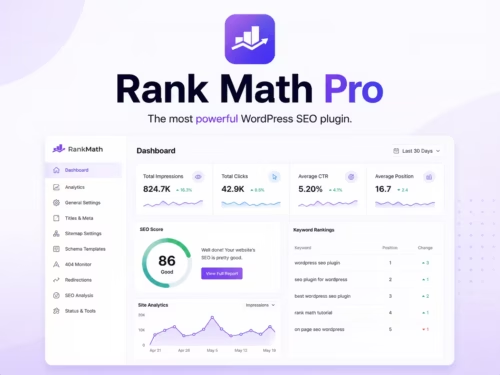
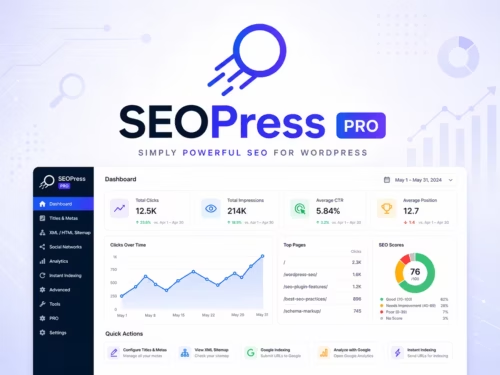
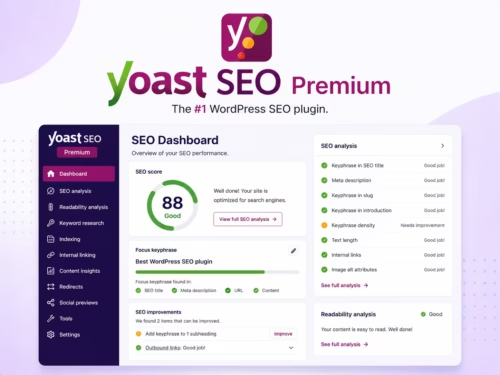
Rank Math is the strongest fit when you want deeper schema control, modular SEO settings, redirects, analytics, and room to tune a growing content site.
| Use case | Recommended plugin | Reason |
|---|---|---|
| Best overall value for personal sites | Rank Math | Strong feature set, analytics, schema, and unlimited personal-site licensing |
| Best familiar editorial workflow | Yoast SEO Premium | Clear readability and SEO guidance, mature docs, strong editorial fit |
| Best broad business toolkit | All in One SEO | Audits, schema, redirects, WooCommerce SEO, and multi-site plan options |
| Best lower-cost pro SEO option | SEOPress Pro | Strong pro feature set at a lower annual price |
| Best analytics companion | MonsterInsights | Helps measure traffic, queries, landing pages, and ecommerce behavior |
| Best conversion tracking companion | PixelYourSite | Helps track ad pixels, CAPI, WooCommerce events, and retargeting |
Use one main SEO plugin. Choose one from Rank Math, Yoast SEO, All in One SEO, or SEOPress.
Then add companion tools only if they solve a different job. MonsterInsights can handle analytics. PixelYourSite can handle ad pixels and conversion events. A caching plugin can handle performance. A backup plugin can handle recovery.
This matters because plugin overlap is one of the easiest ways to make WordPress harder to maintain. If two plugins both generate schema, both control titles, or both create sitemaps, you can end up fixing SEO problems that your own stack created.
If you want the best value for a personal WordPress site, start with Rank Math.
If you want the most familiar editorial workflow, choose Yoast SEO Premium.
If you want a broad business SEO toolkit, look at All in One SEO Pack.
If price and pro features matter most, SEOPress Pro is a strong option.
For most serious sites, the best setup is not one plugin doing everything. It is one main SEO plugin, one analytics layer, and one clear publishing workflow. Start simple, measure what works, and add tools only when they solve a real problem.
Rank Math, Yoast, AIOSEO, and SEOPress can all work well. Rank Math is a strong value choice, Yoast is best for a familiar editorial workflow, AIOSEO is strong for business sites, and SEOPress is a good lower-cost pro option.
No. You should use only one main SEO plugin at a time. Running multiple SEO plugins can create duplicate metadata, conflicting sitemaps, and schema problems.
MonsterInsights is an analytics plugin, not a main SEO plugin. It helps you understand traffic, Search Console data, ecommerce activity, and user behavior inside WordPress.
PixelYourSite is a tracking and conversion plugin. It is useful for ad pixels, CAPI, WooCommerce event tracking, and retargeting, but it does not replace a main SEO plugin.
No. SEO plugins help with technical setup and publishing workflow, but rankings still depend on useful content, search intent, site quality, internal links, backlinks, performance, and competition.
AIOSEO, Rank Math, Yoast with WooCommerce SEO, and SEOPress Pro can all support WooCommerce workflows. The best choice depends on your budget, schema needs, product catalog size, and how much control you want.