WordPress Themes
275 Products
WordPress Plugins
501 Products

Shopify
0 Products

PHP Scripts
0 Products

Opencart
0 Products

Magento
0 Products


Share:
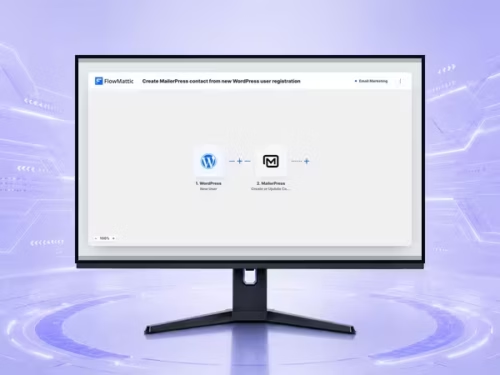
FlowMattic is worth considering when a WordPress event should reliably move information to another system, or when several small manual handoffs are slowing down a team. The appeal is not automation for its own sake. It is the ability to make one clear event produce one clear, observable outcome.
A good first workflow is deliberately boring: when a form is submitted, add a lead to a spreadsheet and notify the right person. If that workflow is easy to explain, test, and recover, the tool has a useful place in the site. If the team cannot describe the workflow without a diagram, simplify the business rule before automating it.
Use FlowMattic for agencies maintaining repeatable client operations, stores that need clean handoffs between WooCommerce and back-office tools, or editorial teams that need post events to trigger a defined follow-up. Its value grows when the site already has a stable process and a named owner for exceptions.
It is less compelling for a site with one or two occasional exports. In that case, a documented manual process may be more transparent than an integration someone only remembers when it fails.
Name the trigger in business language before clicking through an integration. For example: ‘a paid consultation request is submitted’ is clearer than ‘a form webhook fires.’ Then list the data needed by the next system, the condition that permits it to continue, and the person who owns a failure.
FlowMattic documents WordPress events such as a new user, a new post, new media, comments, and updates as triggers. That coverage makes it tempting to automate broadly. Resist that temptation. Automate one verified event at a time, with only the fields the receiving system actually needs.
Webhooks are useful because they make an event available immediately, but a webhook payload is not a contract until you test it. Capture a sample from the real source, compare field names and formats, and decide how to handle blank values. Phone numbers, dates, product variations, and multi-select fields are common places where an assumed format breaks.
Keep an internal note beside every workflow with its trigger, destination, owner, and a representative test payload. That turns future troubleshooting from archaeology into a routine check.
Test the happy path, a deliberately incomplete submission, an unavailable destination, and a duplicate event. The goal is not to prove a workflow can run once. It is to learn whether it is safe to run every day. A notification sent twice can be annoying; a duplicate order or duplicate CRM contact can create real cleanup work.
Use a test destination or clearly marked test records until the mapping is stable. Then monitor the first live runs closely. Automation should reduce hidden work, not hide it from the people who need to respond.
A visual builder cannot compensate for unclear permissions, brittle third-party APIs, or an undocumented process. If a workflow handles customer data, confirm who can see the destination and whether access should be reviewed when a contractor leaves.
The healthiest implementation has a small number of owned, observable workflows. Leave experimental ideas out of production until they have a business purpose, test data, and an agreed rollback path.
Start with one low-risk event, such as sending a new enquiry to a team channel or spreadsheet. It is easy to validate and establishes how your site data is shaped.
No. Automate only events with a clear outcome and a named owner. Extra flows create more maintenance and make failure diagnosis harder.
Use a representative sample, include missing-field and duplicate cases, and confirm the destination received exactly the records you expected.
Yes, where store events need to reach a CRM, operations process, reporting tool, or notification channel. Map product and customer data carefully before going live.
Assign one person or team who understands the business result, has access to the destination, and can make a safe change when it fails.