Book Categories:

Wait, don't go!
Before you leave, we have a special offer just for you!
Get 20% off your next purchase.

Book Categories:






Before you leave, we have a special offer just for you!
Get 20% off your next purchase.


Share:
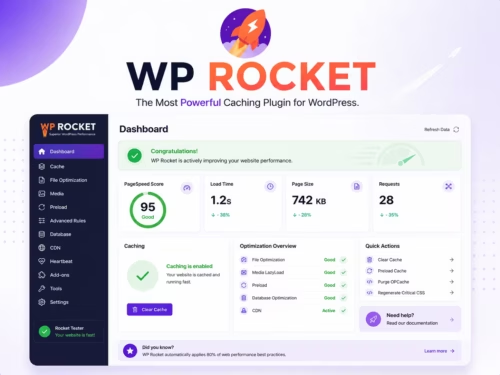
WP Rocket is a WordPress performance plugin built for site owners who want caching and front-end optimization in one dashboard. It covers page cache behavior, preload, file optimization, LazyLoad, database cleanup, and compatibility work that would otherwise require a more fragmented plugin stack.
Scores reflect implementation usefulness: a performance feature is valuable only when it improves speed without breaking key user flows.
| Criteria | WP Rocket | Why it matters |
|---|---|---|
| Cache workflow | 9/10 | Clear page cache, preload, and cache lifecycle behavior make it easy to standardize performance work. |
| Ease of setup | 8/10 | Most sites can start with basic cache and preload, then test advanced options gradually. |
| Front-end optimization | 9/10 | Remove Unused CSS, Delay JavaScript Execution, LazyLoad, and related controls cover common Core Web Vitals issues. |
| WooCommerce handling | 8/10 | Good fit for stores when cart, checkout, fragments, and dynamic behavior are tested carefully. |
| Risk control | 7/10 | The most powerful settings can affect scripts or layout, so staging-site testing matters. |
WP Rocket is best for WordPress users who want a single performance plugin instead of piecing together cache, LazyLoad, CSS, JavaScript, and database cleanup tools. It fits blogs, service sites, product review sites, and WooCommerce stores where the owner wants speed gains without building a custom performance stack.
It is also a good fit for client work because the workflow is easier to document: enable baseline cache behavior, test preload, then introduce file optimization settings in controlled steps.
WP Rocket’s preload feature emulates visits to generate cache files so pages can be served quickly before a real visitor arrives. Its documentation also notes that preload can trigger other optimizations, including Remove Unused CSS and Delay JavaScript Execution, which makes it an important part of the workflow rather than a minor switch.
Remove Unused CSS is one of WP Rocket’s most important front-end optimization features. According to WP Rocket’s documentation, it keeps used CSS for each page and can reduce page size, reduce stylesheet requests, improve load time, and help Core Web Vitals. The catch is that it depends on a valid license and public access so the tool can process pages.
Delay JavaScript Execution delays scripts until a user interaction such as scrolling, touching, moving the mouse, or pressing a key. This can help with PageSpeed recommendations around unused JavaScript and main-thread work. It is powerful, but it should be tested carefully because menus, sliders, forms, ads, analytics, and checkout scripts may need exclusions.
LazyLoad can reduce initial page weight by delaying images, iframes, and some background images until they are needed. WP Rocket has also documented newer rendering-related features that delay distant elements from being rendered until they approach the viewport. These features matter most on long pages, heavy homepages, and visual product pages.
WooCommerce sites need more care than blogs. Cart fragments, dynamic prices, account pages, checkout, product variations, currency plugins, and geolocation can complicate caching. WP Rocket can still be a strong fit, but the buying path must be tested before aggressive settings are left active.
The safest setup path is gradual. Start with cache and preload, then test LazyLoad, then test CSS optimization, then test JavaScript delay. After each change, check homepage, posts, category pages, product pages, cart, checkout, search, and mobile navigation.
Do not enable every optimization at once. If something breaks, you will not know whether the cause was CSS, JavaScript, LazyLoad, a third-party script, or a theme interaction.
WP Rocket cannot fix everything. If your theme loads too much JavaScript on every page, if images are oversized before upload, if hosting response time is poor, or if third-party scripts dominate the page, WP Rocket can help but not fully solve the problem.
It also cannot truly remove unused JavaScript from a plugin or theme. WP Rocket’s documentation explains that Delay JavaScript Execution can optimize the impact of unused JavaScript, but removing unused JavaScript entirely requires more targeted asset control or custom development.
WP Rocket’s value is strongest when it replaces a messy stack of overlapping performance plugins. Fewer overlapping tools usually means fewer conflicts, easier debugging, and a clearer workflow for site owners.
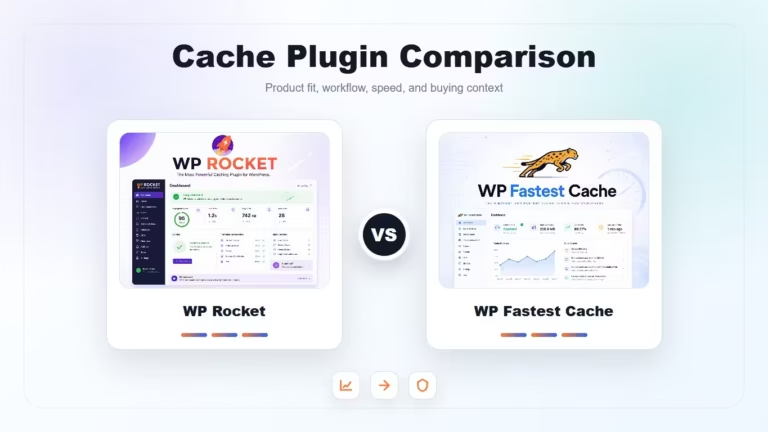
WP Fastest Cache is a simpler alternative for basic page caching. Host-level cache may be enough on managed WordPress hosting. Image plugins such as Smush Pro can still be useful alongside a cache plugin when media weight is the main issue. For advanced asset control, tools such as asset cleanup plugins may be needed, but they require more careful testing.
WP Rocket is a strong WordPress performance plugin for users who want speed improvements without assembling a complicated toolchain. Its best features are powerful enough to matter, but they need thoughtful testing. For serious sites, that tradeoff is usually acceptable.
Not every site needs it. It is most useful when you want one dashboard for cache, preload, LazyLoad, file optimization, and cleanup instead of several smaller plugins.
Some advanced settings can break menus, sliders, checkout widgets, or tracking scripts. Test JavaScript delay, CSS optimization, and minification on staging or during low-traffic windows.
Not fully. WP Rocket can lazy load images, but compression and format conversion may still need an image optimization workflow.
Yes, but stores need careful testing. Always test product variations, cart, checkout, account pages, and any currency or geolocation plugins.
Start with page cache, preload, and LazyLoad. Then test file optimization settings one at a time so you know what caused any layout or script issue.